
Castle Game - Lesson Adoption Documentation
Implementing other lessons into the Castle Game.
Our team has taken inspiration from other teams (including those in period five) and their lessons to make improvements to our game.
1. Character Chase (Team Ocean)
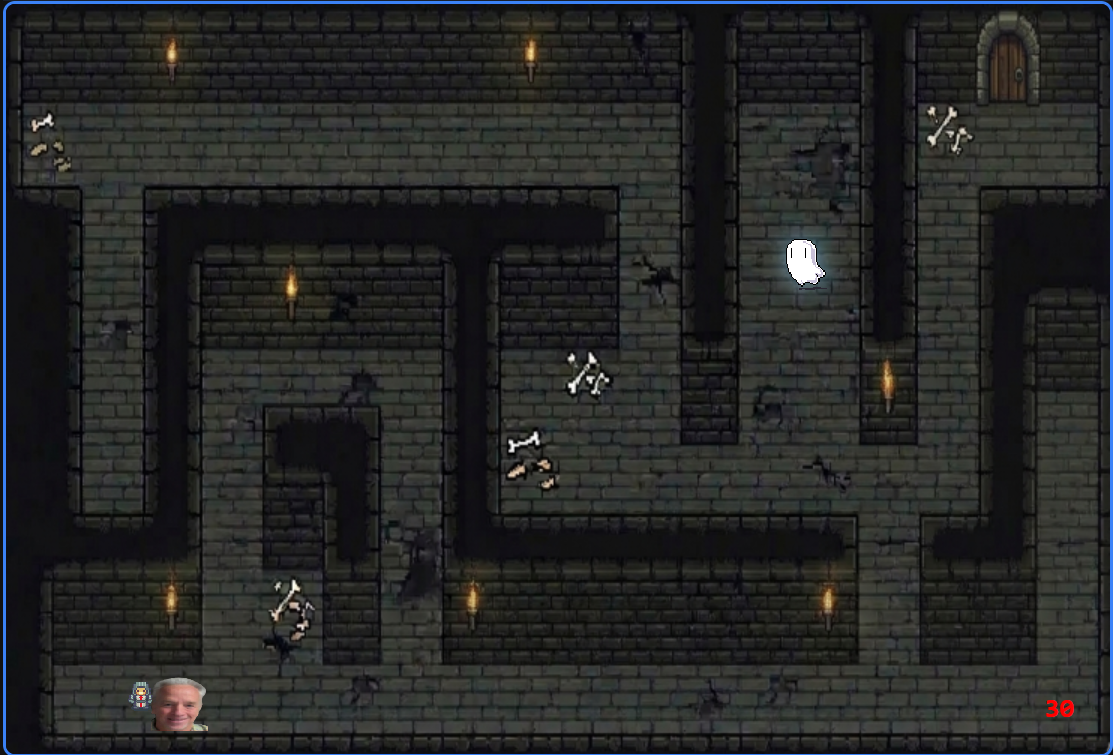
We implemented a ghost that can chase the player around the level, using the character chase lesson as a guide. We had to make some modifications so that it can phase through barriers (which a normal enemy would not be able to do).
2. Parallax (Team Bob)
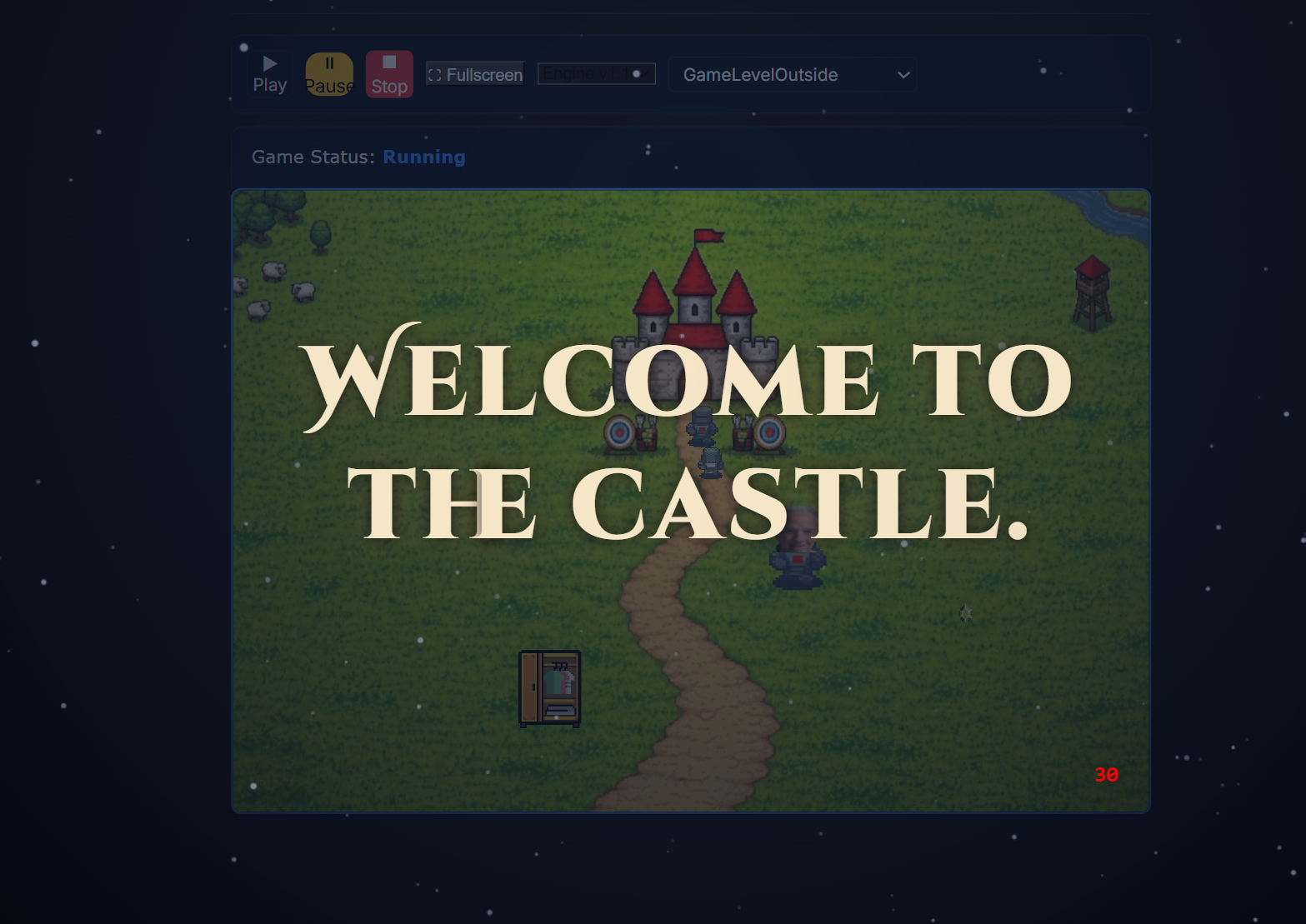
Our team decided that our transition screen with the instructions for the archery game was too simple, and so we added a parallax effect to the background of the overlay, resembling that of a starry night.
3. Game in Game (Group of Three)
Our level already had multiple games that were linked together to form one cohesive experience for the user, but upon transitioning our game into _projects and with Game Runner, the logic we used for switching levels had broken.
We used Group of Three’s approach to fix and simplify our game-in-game and transition logic, and it is used to go from the outside of the castle to the archery challenge to the maze and finally to the final level, in the fortress.
4. Local Storage (Triple Chocolate Banana Swirl from P5)
Our team utilizes local storage in two places:
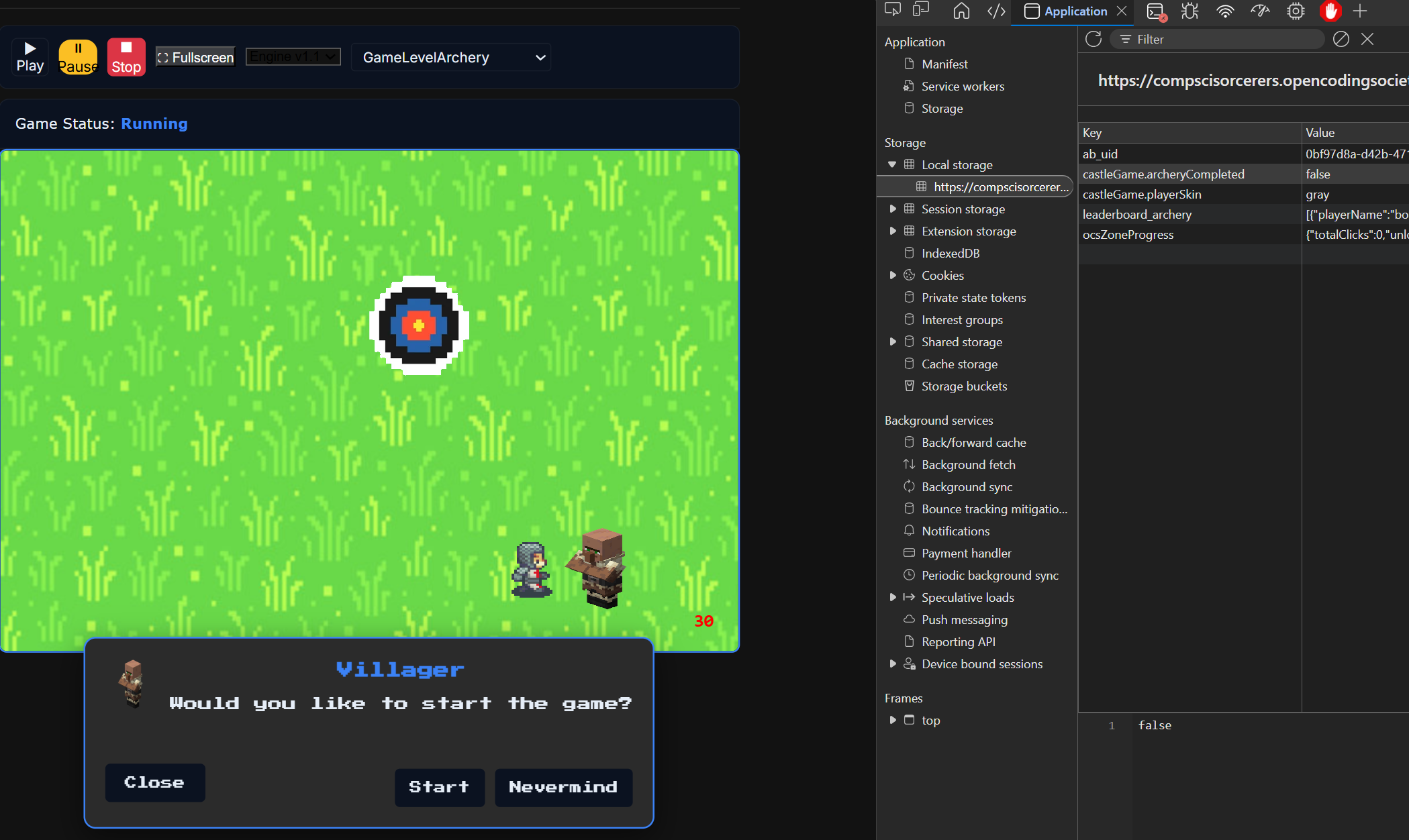
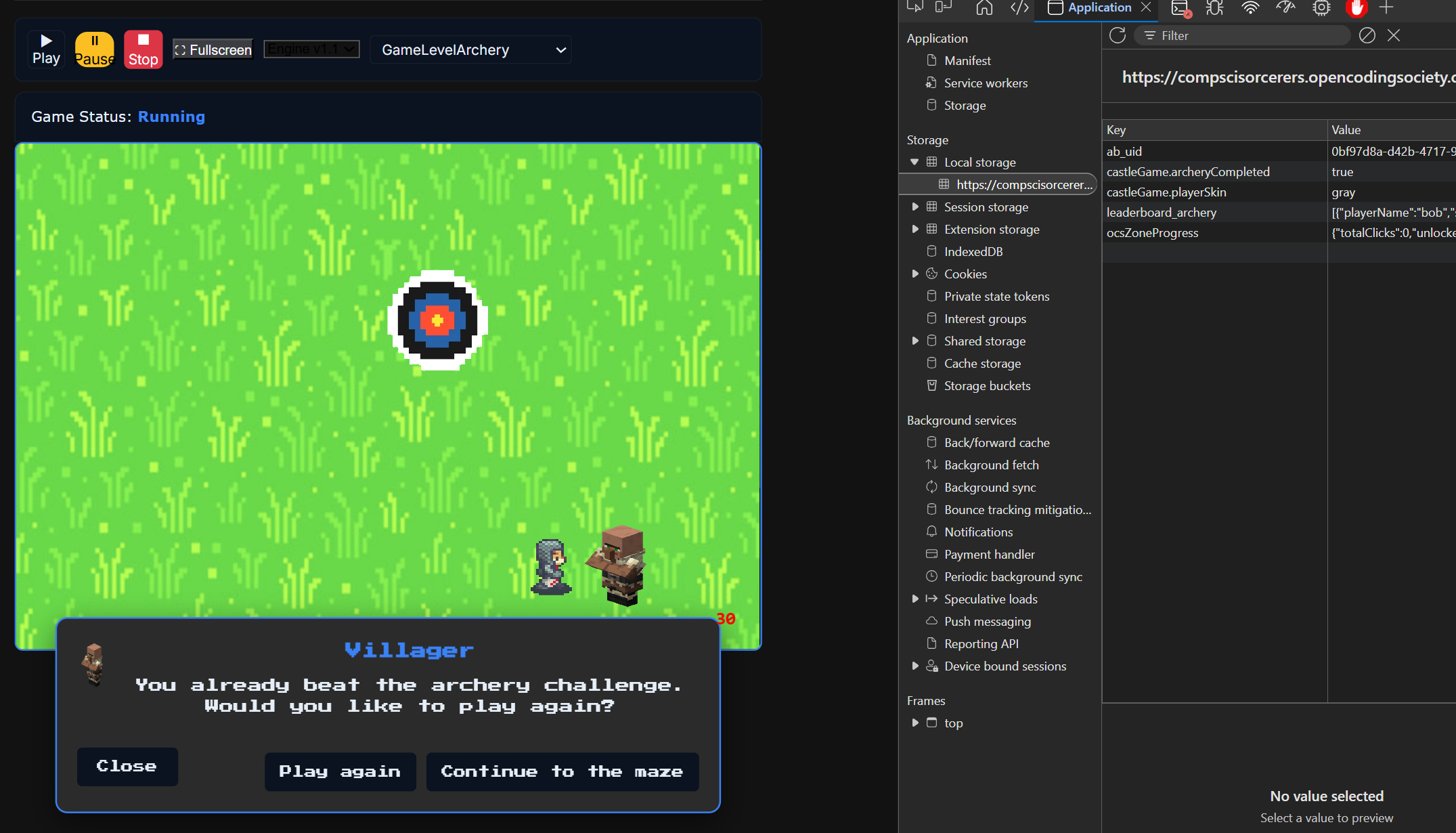
- Archery game progress. If the player has already beaten the archery challenge, they shouldn’t be forced to play it again to be able to advance to the maze level. To solve this issue, we added a key in local storage that saves whether or not the player has already beat the archery challenge. If they have, the villager NPC allows them to skip the archery challenge and go directly to the maze.
const archeryStorageKey = 'castleGame.archeryCompleted';
const getArcheryCompletion = () => {
    try {
        if (typeof window === 'undefined' || !window.localStorage) {
            return false;
        }
        const stored = window.localStorage.getItem(archeryStorageKey);
        return stored === 'true';
    } catch (error) {
        return false;
    }
};
const setArcheryCompletion = (value) => {
    try {
        if (typeof window === 'undefined' || !window.localStorage) {
            return;
        }
        window.localStorage.setItem(archeryStorageKey, value ? 'true' : 'false');
    } catch (error) {
        // Ignore storage errors (e.g., private mode)
    }
};
If you haven’t beat the archery challenge yet:
If you haven beat the archery challenge already:
- Persisting character spritesheet swaps. This is explained below, in our fifth adopted lesson.
5. Character Swap (Team Space)
To add more customizability and UX to our game, we added a closet to the outside level. When the player interacts with the closet, a dialogue allows them to switch their spritesheet between the gray knight, dark knight, and green knight.
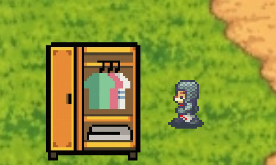
However, there was an issue: the selected sprite wouldn’t persist across levels, meaning that the spritesheet would reset when going from one level to the next. To solve this, we saved the selected spritesheet in local storage. This has the added advantage of persisting spritesheet selections across reloads as well.

6. Collision Mechanics (Triple Chocolate Banana Swirl from P5)
We modified the way some collisions between the player and objects work to suit our game. For example, in our maze game, we extended the Barrier class to create DeathBarrier, which modifies what happens upon a collision to kill and respawn the player.